3D Relief
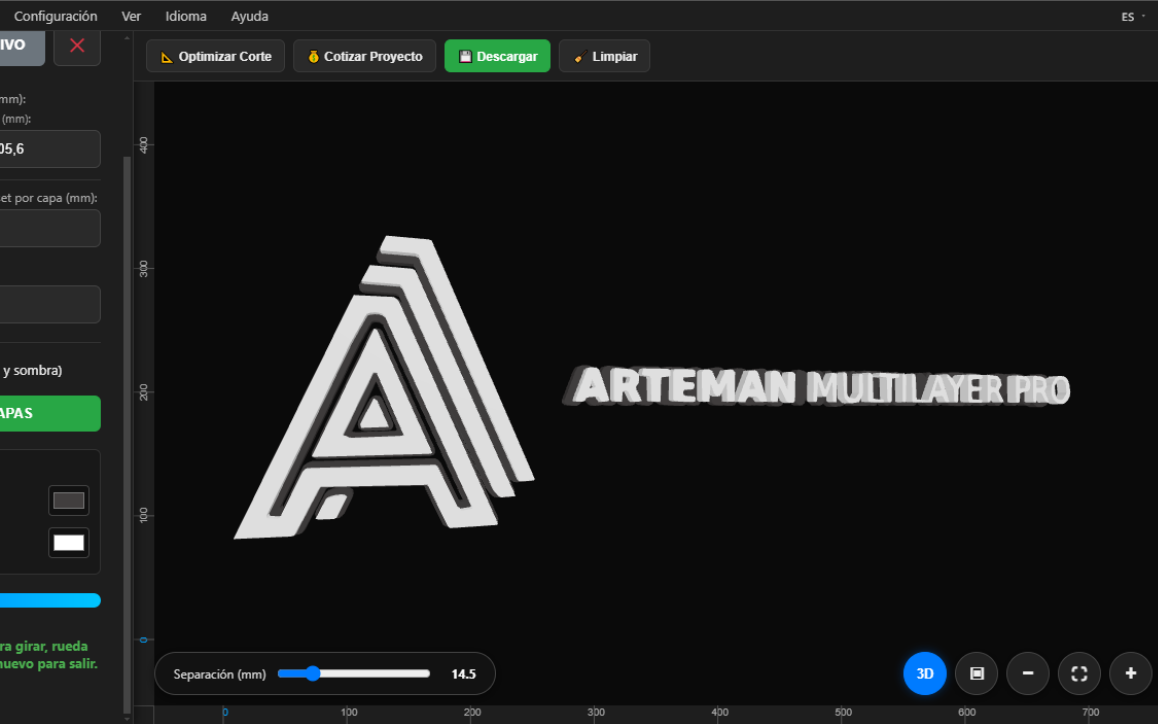
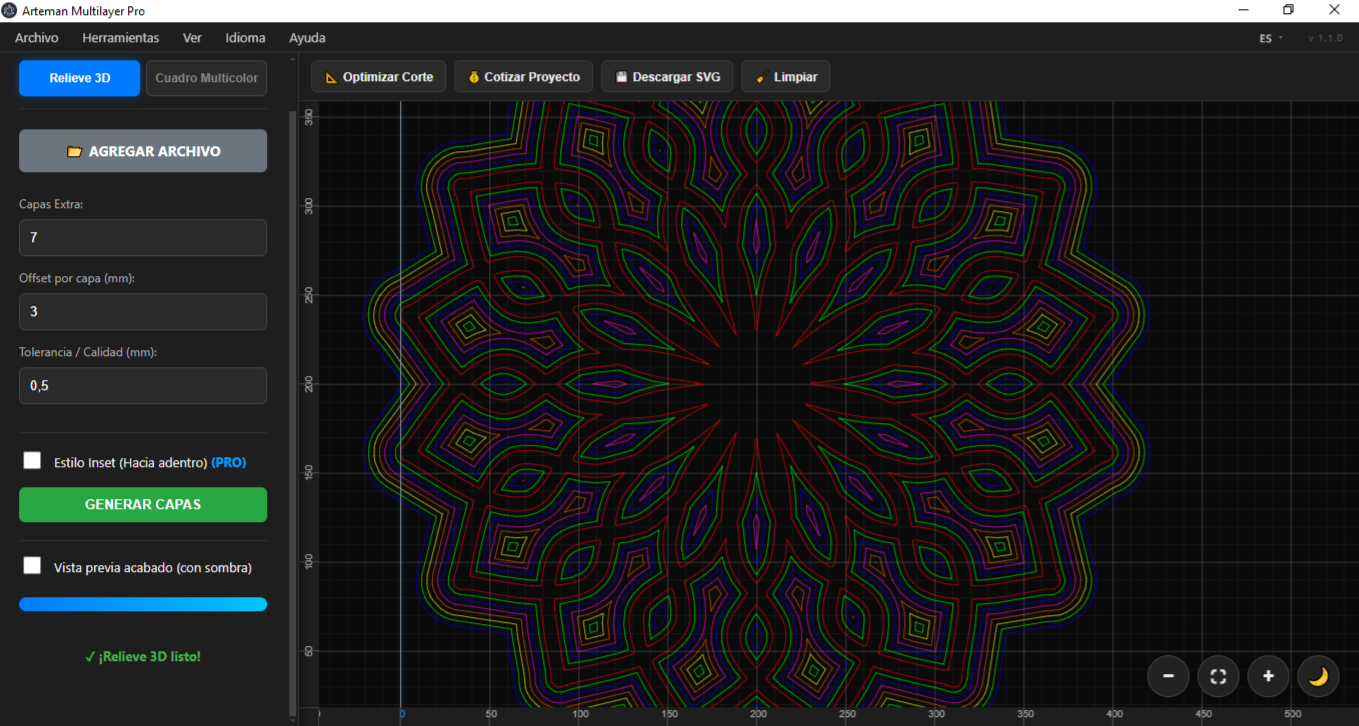
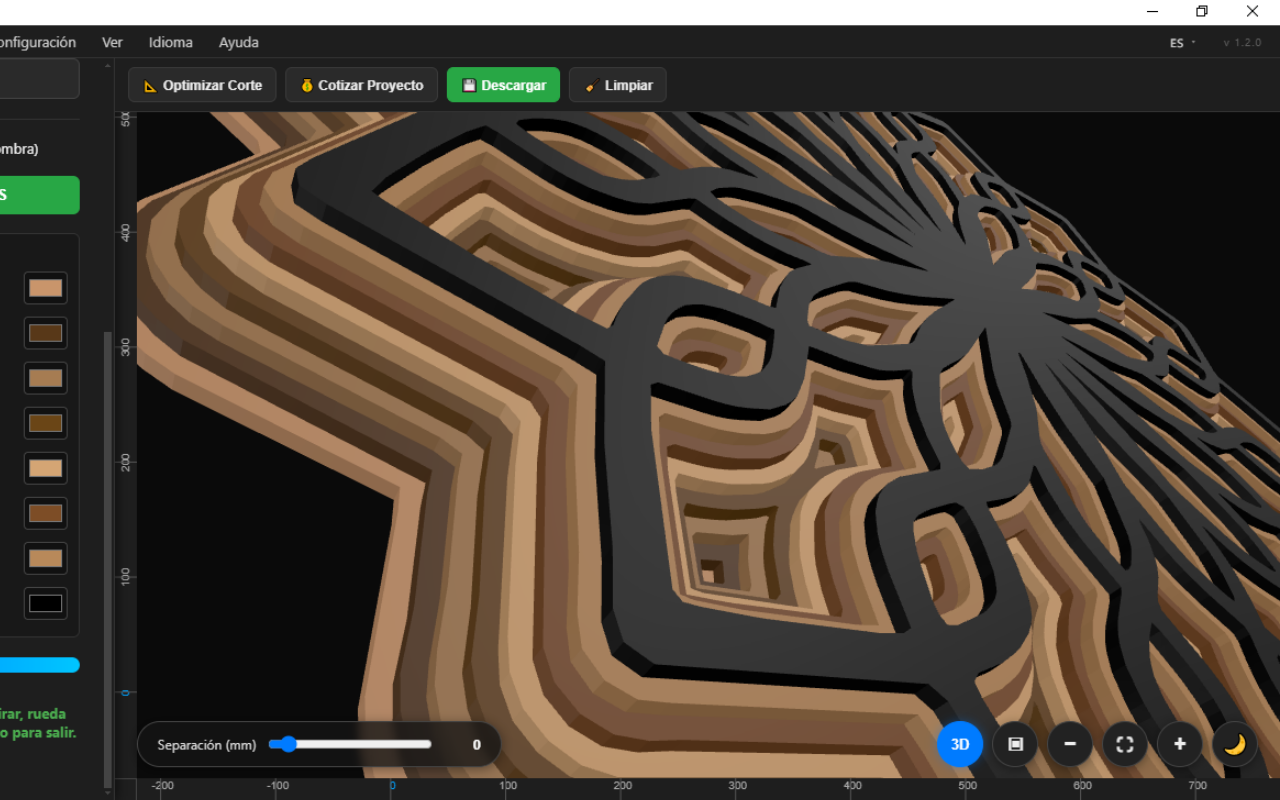
Start from a silhouette or vector and generate stepped contours that, once stacked, create depth and a relief effect.
Desktop software for Windows
Design, preview and export your laser cutting projects: 3D relief, multicolor art and LED lamps, all in one tool.
Version 1.4.0 · Free · Windows · No sign-up
What you can do
Three working modes and a set of tools to take your design from idea to cut.
Start from a silhouette or vector and generate stepped contours that, once stacked, create depth and a relief effect.
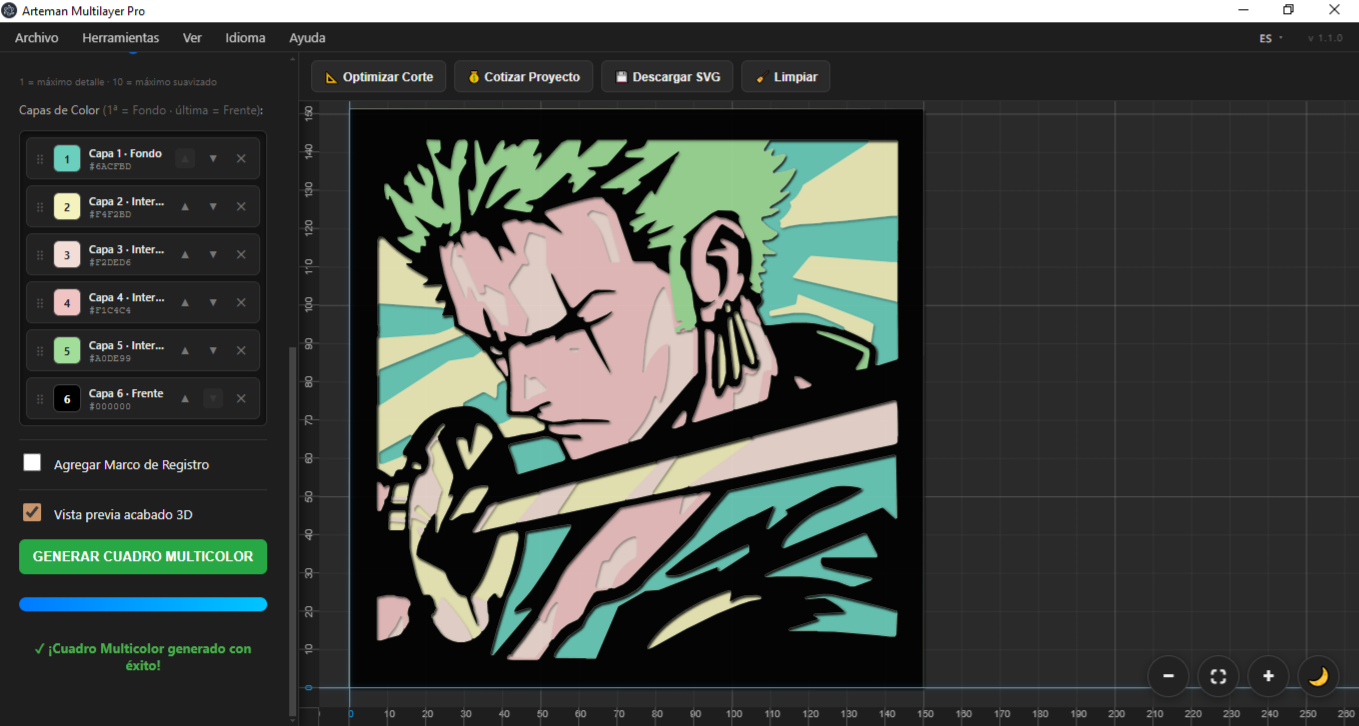
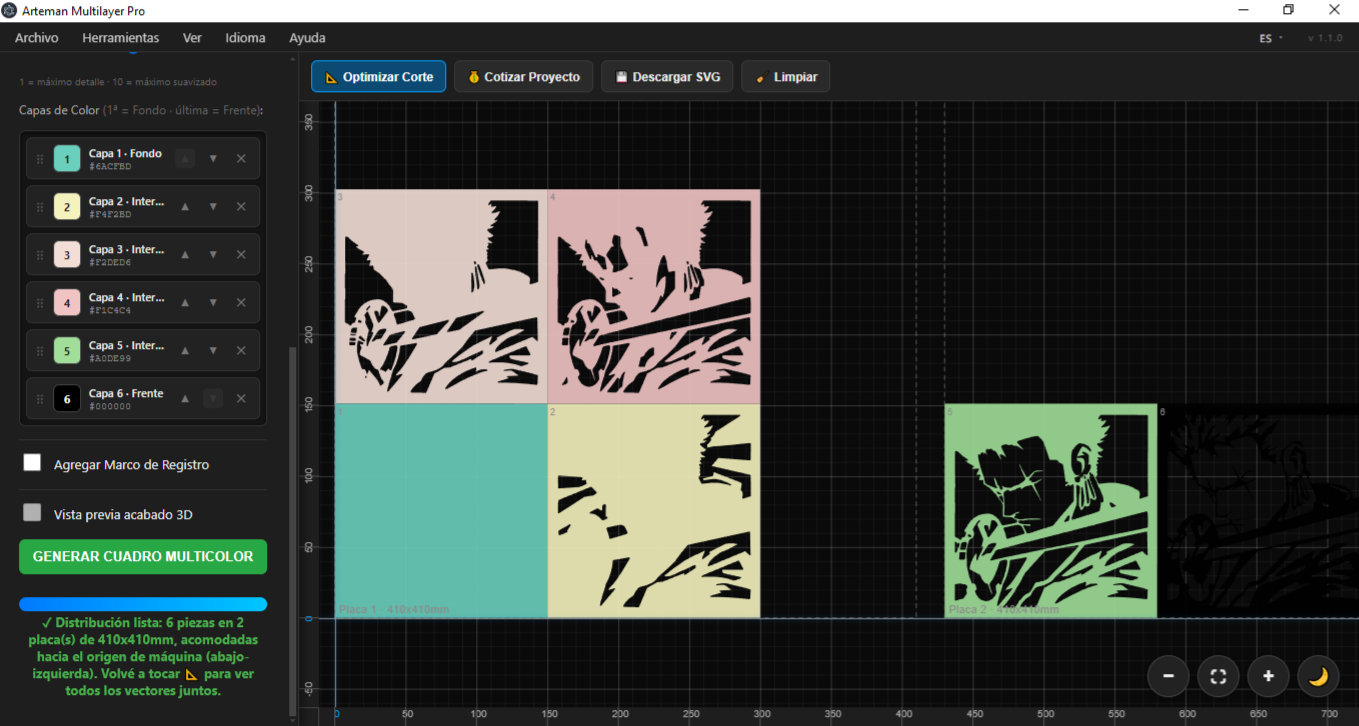
Start from a color image: the software splits it into color layers to build a piece made of several stacked sheets.
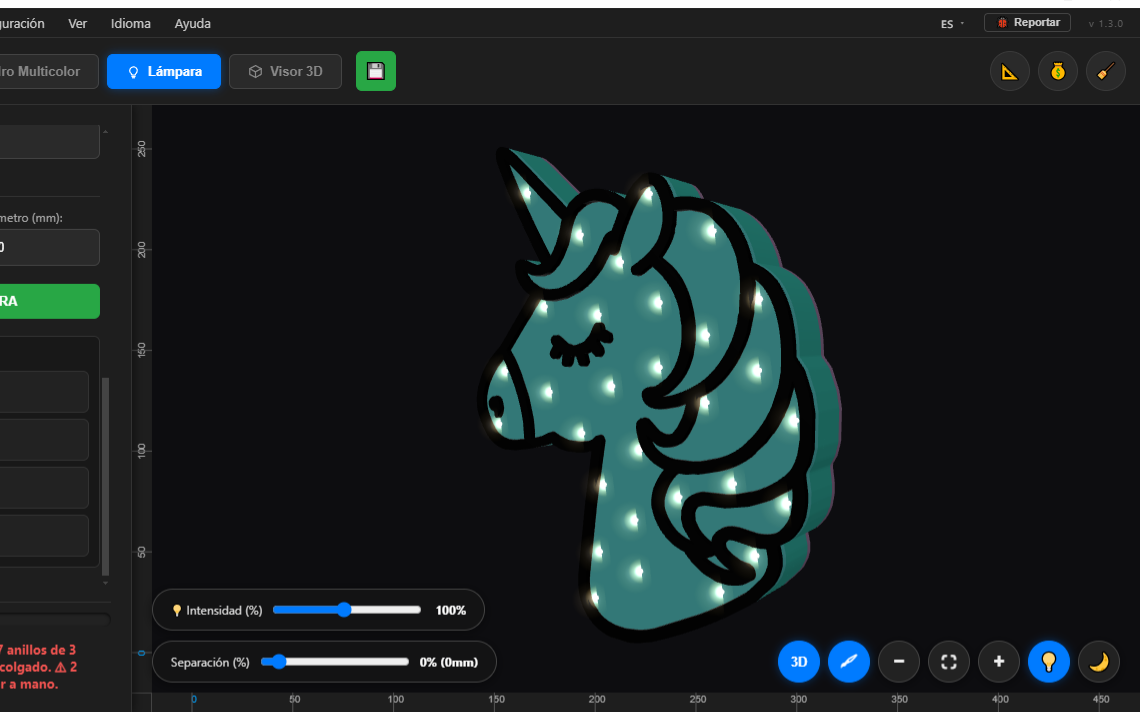
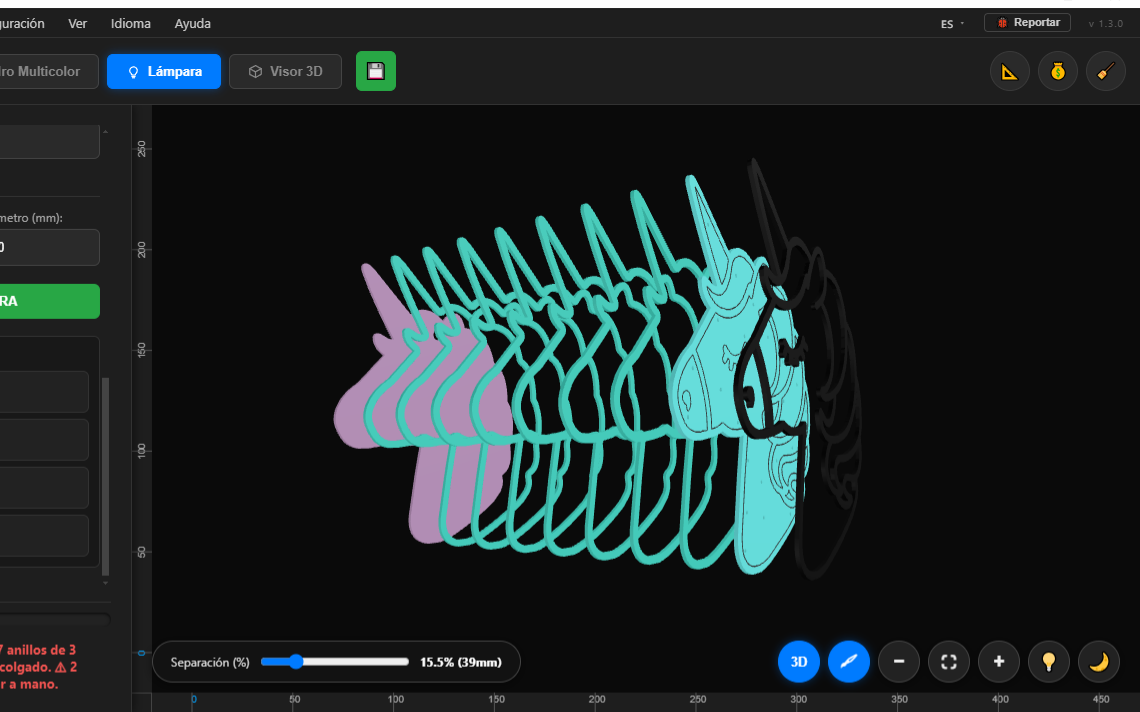
Build layered LED lamps from a word or a drawing, and preview them lit in 3D before cutting.
Automatically arranges the pieces on the sheet to save material and time.
Calculates a suggested price based on material, cutting time and profit margin.
Your layers ready for your laser software (SVG and DXF), or the 3D model (STL).
See how the stacked design looks before cutting.
SVG, DXF, PNG and JPG.
Available in 5 languages.
In action
Real screenshots of the workflow, from design to cut.
On video
See the software in action: I walk you through the tools step by step and how to activate the PRO version.
Download
Free · No sign-up · You get the DEMO version
Requirements
It runs on any reasonably recent Windows PC. You do not need a powerful machine.
Windows 10 or Windows 11 (64-bit)
Dual core at 2 GHz or higher
4 GB minimum (8 GB recommended)
500 MB free
OpenGL compatible (for the 3D viewer)
1366×768 resolution or higher
No admin rights required. Internet connection only to activate the PRO license.
Questions
The software prepares the cutting files (layers, optimization, export to SVG and DXF). To cut you need your laser machine and its own software; Arteman Multilayer Pro generates the files, it does not drive the machine directly.
Yes. The software exports to SVG and DXF, standard formats that the most common cutting programs open (LightBurn, LaserGRBL, etc.). The PRO version also exports the model to STL for 3D.
Yes. Each PRO license works on 2 computers. Each machine gets its own key (tied to that computer). You activate the second one yourself, instantly and at no extra cost, from this page: you only need your current key and the Hardware ID of the new computer.
It is automatic and instant. You buy from the purchase page (PayPal, Mercado Pago or Hotmart), open the software and click "Ya pagué, activar mi copia" to see your Hardware ID. Paste it on the activation page and you get your key right away, no waiting. Paste that key into the software and you have every PRO feature.
You can import SVG, DXF, PNG, JPG and CDR, both in the DEMO and the PRO version. (DXF must be version R12, and CDR files require Inkscape installed.)
No, you can use the DEMO with no time limit. Some features are limited and unlock with the PRO license.
In 5 languages: Spanish, English, Portuguese, Italian and French.